




In most designs, you might want to put buttons and switches to control your program flow. This is not very difficult to read the button state. You can connect the button between pin and ground with an internal pull-up enabled. Then when the button is pressed, the pin value will be 0 when released – 1. Of course, you can use an external pull-up resistor.
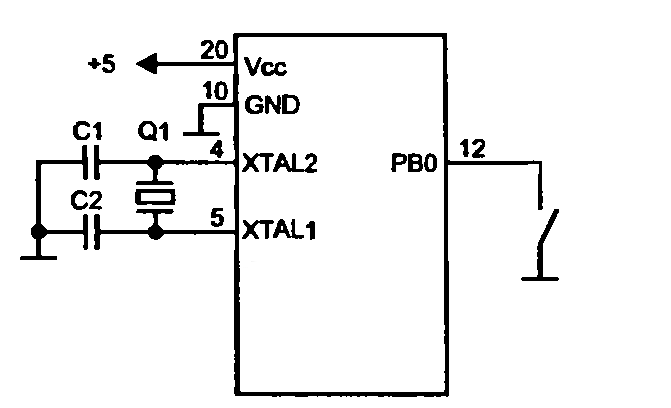
In fact, all mechanical contacts have their shortcomings – they generate multiple micro connections that can confuse AVR. The Delay of this effect depends on the quality of buttons or switches and can vary from 10 to 100ms.

Usually, this effect is removed in the programming stage by using delays for waiting for the switch stage to become stable.
If you want to put more buttons than your microcontroller has pins, you can construct a matrix-style button system:
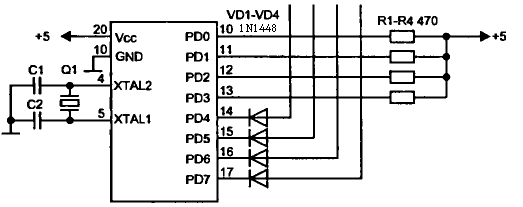
You see, with only 8 pins, you can read 16 buttons. All other jobs will do your algorithm.