




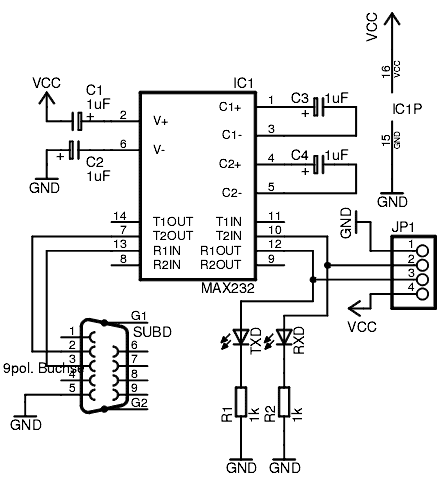
After making a simple RS232 adapter, I have decided to improve it a little bit and added status LEDs of TXD and RXD lines. This adapter works with my AVR development board and should work with any TTL level UART interface. The unit is powered from the target board using power pins.
The circuit:
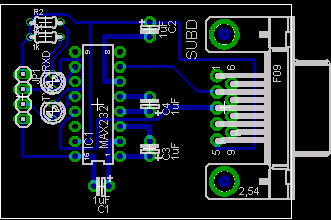
And PCB:
After putting board in to the plastic case:
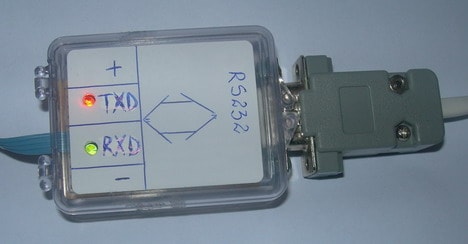
TXD and RXD lines are high levels while idle – this is why LEDs are ON. During data, transmission LEDs are blinking.
Download project RS232 adapter Eagle files.
woot woot
bash bash
Please send me details of RS 232 & RS 485 Converter details & connection Diagram.
Bhaskar.
Hi,
I built this project to connect my JDM programmer to USB port. I use only 3,4,5,7,8 Pins on the D9 connector in my JDM programmer. So I used only Pins 3,5 in your schematics and I connected USB port of my computer as given in the schematic. Now It shows “Unrecognized USB device”. So are there any drivers I should install to make it work.
What is voltage value of condensers