Category Archives: AVR Microcontrollers

About Atmel ATMega, Attiny projects

New series of AVR projects from Cornell

It’s been a tradition to check on new projects from Cornell University ECE 4760 Engineering class. They build cool AVR based projects each year and seems that they are getting more and more advanced. During the last 5 weeks of the semester in ECE 4760, Microcontroller Design, students had to combine sensors, actuators, microcontrollers, and mathematical techniques to build something. So 2009 final end up with whole 39 cool projects that include a 3D mouse, Haptic appointment manager, fart detector, tissue impedance biopsy system and several interesting musical instruments. This year the coding was done using WINAVR GCC and AVRstudio.

You can hardly find so many AVR projects in other place that are well researched and described. And this number is growing since 1999.

This is a great idea to publish these projects instead of stacking them somewhere in dark place like many universities do. Students do lots of interesting stuff why not sharing these ideas, so others could make things even better. Way to go ECE 4760 class. All projects show a great deal of originality and work. There are over 300 projects on the page.

Scienceprog.com is back and running!

Probably you’ve noticed, that scienceprog.com was down for a while. We have faced some technical issues that are fixed now. Right now seems that all functionality is restored and working properly. If you notice something wrong going on, just drop us a note. We are sorry for inconveniences. And hope you’ll stay with us.
Admin

The Compact ATtiny Breadboard Headers

If you have to spending endless times to start prototyping with an AVR ATtiny, then you can make it becoming easier. Yep, all you need to do is build the headers that can carry the 8 and 20 pin chips, where it can be plugged directly into breadboards.

Technically, these controller boards are building to provide a quick start for projects with 8 and 20 pin AVR microcontrollers, such as ATtiny13, ATtiny45 and ATtiny2313. Since they didn’t include any fancy stuff, and they keep it as simple as possible.

By using this cute yet compact ATtiny breadboard headers, the Arduino projects becoming much easier.

attiny-breadboard-headers

As you can see from the above figure, this little breadboard headers is very handy, where it occupy only one more row on each side as a controller would need. This breadboard headers already included the following components:

6 pin ISP header;

8 MHz resonator;

Reset pull-up resistor and reset switch;

Blocking capacitors;

Serial connection header.

These ATtiny Breadboard headers not only small and compact, but it’s equipped with all the basic electronic components that you’re needed. Just plug them in your breadboard and connect your programmer with it! Voila, it works like a magic…

Peggy 2.0 led display board

Guys from Evil Mad Scientist Laboratories have released 2nd version of their Peggy LED display kit. It is a 25×25 LED display board which is capable to display various LED effects, output text and even animation with individual LED addressing.

This is quite smart construction allowing to drive any number of LEDs (from one to 625). Peggy board has several buttons that can be used to control various actions like games or other effects.  The board itself is nicely designed so it wouldn’t be a shame to use it as a dynamic LED sign, FFT sound grapher,  RSS reader or simply as general purpose giant display. You can order peggy board as a kit or try to build it by yourself as all project files are available for building, hacking or simply analyzing.  [Peggy v2.0]

Yet Another Simple AVR ISP cable

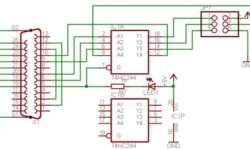
Probably this programmer cable can be found on every AVR fan website. It very simple and easy to build. You just need few passive components that can be packed inside LPT connector. From my perspective I wouldn’t recommend using this one programmer if you are more serious in microcontroller projects, because it has poor computer port protection. It connects directly to LPT port without precautions. I definitely recommend using similar ISP circuit with buffer IC between LPT and target board.

But let’s don’t pretend like we are very smart. The whole beauty is in its simplicity. This thing does its job perfectly as long as target board power supply is OK. Continue reading

USB bootloaders for AVR microcontrollers

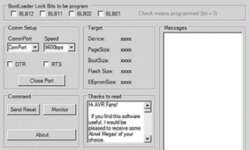
Probably most proper microcontroller programming method is using a bootloader program. Because you don’t need any special programming adapters or special knowledge – you just need to connect standard cable from your PC to target board and run special program on PC which communicates with MCU bootloader program. The idea is simple:

AVR bootloader model

If microcontroller is preconfigured then after reset it starts running not from start memory location which is usually at 0×0000 address, but at some specific location, where usually bootloader lies. Continue reading

New WinAVR 20080411 has been released

Open source rocks isn’t it? Here is a new WinAVR 20080411 release available for download. As always new release has lots of tweaks, bug fixes and optimizations. There are new XMEGA series microcontrollers preliminary included in supported device list. So we may have a chance to put hands on these new cool AVR microcontrollers. Here is a list of new things in WinAVR:

  • Support of new AVR devices: ATxmega128A1, ATxmega64A1, ATxmega32M1, ATxmega32C1, ATxmega32U4, ATtiny167;
  • New GCC4.3.0 compiler;
  • New version of AVR-LibC 1.6.2;
  • Two new Makefile templates added where one will generate a library instead of an application (Makefile.lib), while another will enable whole program optimization. This seems to be new thing – it will be interesting to experiment with.
  • New version of SRecord 1.38;
  • New version of SimulAVR 0.1.2.5;
  • Removed AVR-Ada (as they say – temporary)-I don’t need it anyway…

Just recompiled my old code – seems to be working fine. So I recommend you to update to newer WinAVR version.

AVR DDS signal generator V2.0

Finally second and improved AVR DDS signal generator is here. First AVR DDS V1.0 generator was only an attempt of running DDS algorithm without any amplitude control. This time I still wanted to keep things simple like minimum count of widely accessible components circuit, single sided PCB that comes together with good functionality.

AVR_DDS_signal_generator_V2_0.jpg

AVR DDS specification

AVR DDS signal generator V2.0 is a firmware based DDS signal generator which uses slightly modified Jesper’s DDS algorithm adapted to AVR-GCC C program as in-line ASM. Signal generator has two outputs – one for DDS signal and another for high speed [1..8MHz] square signal – which may be used for reliving microcontrollers with wrong fuse settings or for other purposes as well. High speed (HS) signal is direct output from Atmega16 OC1A(PD5) pin. DDS output is used for all other signals that are generated via R2R resistor network and is adjusted via LM358N offset and amplitude regulating circuits. Offset and amplitude can be regulated by two potentiometers. Offset can be regulated in range +5V..-5V while amplitude in range 0..10V. DDS frequency range is from 0 to 65534Hz that is more than enough for testing audio circuits and other tasks.

Main AVR DDS V2.0 signal generator features:

  • Simple circuit with easily accessible and cheap components;
  • Single sided PCB;
  • In box power supply with external AC plug;
  • Dedicated high speed (HS) signal output up to 8MHz;
  • DDS signal with variable amplitude and offset;
  • DDS signals: sine, square, saw, rev saw, triangle, ECG and noise.
  • 2×16 LCD menu;
  • Intuitive 5 button keypad.
  • Frequency adjusting steps: 1, 10, 100, 1000, 10000Hz;
  • Restoring last configuration after power up.

Continue reading

Better performance with AVR XMEGA microcontrollers

It seems that ATMEL do not want to limit the AVR branch with 20MIPS AVR microcontrollers. Recently they introduced new AVR microcontroller family – XMEGA – which is still based on AVR core but has a higher performance along with low power feature. AVR microcontrollers are really optimal where high performance is needed with relatively low code size. Probably XMEGA microcontrollers will fill the gap between standard AVRs and AVR32 microcontrollers.

xmega_microcontrollers.jpg

XMEGA microcontrollers are featured with:

  • 2nd generation picoPower technology;
  • faster and innovative inter-peripheral communication;
  • 4 channel DMA controller;
  • Real Time Clock;
  • 8 Event System channels;
  • fast 12-bit and DAC;
  • Cryptography support for AES and DES.

Continue reading

AVR internal oscillator jitter research

If you go to AVR site and open an AVR application note AVR053 you will notice that there are different RC oscillators installed in to AVR chips during history. In table you can see tunable oscillator versions and their features.

AVR_RC_oscillator_versions.JPG

Simply speaking each new version of oscillator introduces better features and improvements. But is it really truth? ChaN has made interesting research on these oscillator version. He simply tested output signal with fixed width and measured timing fluctuations of it. And he found out, that RC generator frequency slowly fluctuates during time. Of course RC oscillator fluctuations are not a problem as this type of clock source isn’t considered to be stable. In time critical applications it is better to use crystals. But most interesting thing is that newer versions of tunable oscillators were generating much more jitter than older ones.

AVR_jitter.png

In the picture you can see that chips introduced 2-3 years ago shows almost no noticeable jitter, while new ones give about 0.5% maximum. An it seems that significant jitter appeared from 4.0 RC oscillator version. It is hard to tel the reason why it is so. Probably it is a result of some kind of efficiency improvements,that resulted in bigger RC jitter. But this is only a guessing as Application notes do not tell anything about this issue.

You can read full article here. It is Japanese, so use Babelfish translator.

New on WinAVR Tutorial New on WinARM Tutorial